🔥 Introduction: Why Multiplayer in SFG2 Is a Game-Changer
🎮 Special Forces Group 2 (SFG2) is one of the most popular first-person shooters on mobile — especially among Indian gamers who crave fast-paced action without needing a high-end PC. But here’s the thing: the real fun begins when you connect multiplayer. Whether you're battling your buddies over LAN (Local Area Network) or jumping into online rooms with players from around the world, the multiplayer mode is where SFG2 truly shines.
In this ultimate guide, we’ll walk you through every possible way to connect multiplayer in Special Forces Group 2. From basic setup to advanced troubleshooting, we’ve got you covered. 🚀
If you’re tired of seeing “Connection Lost” or “Unable to Join” — bhai, you’ve come to the right place. Let’s dive deep!
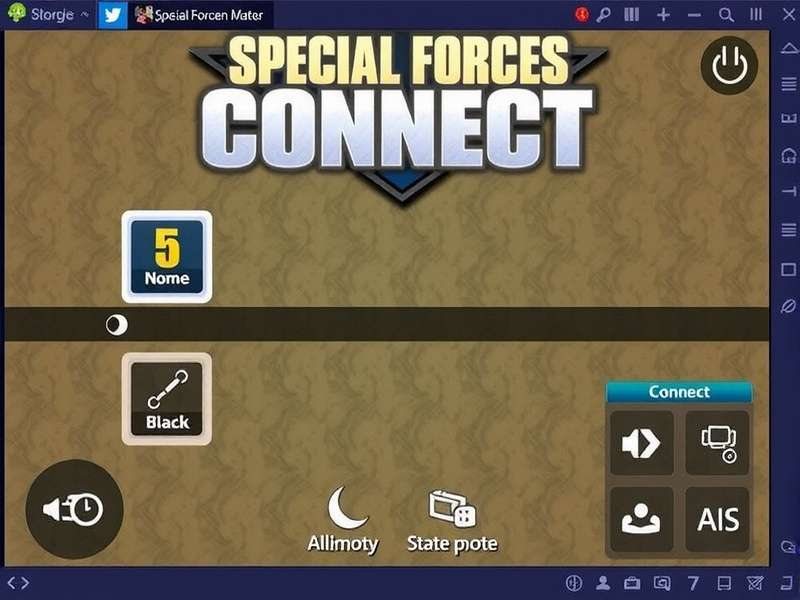
🛠️ How To Connect Multiplayer in Special Forces Group 2 – Step by Step
Let’s get straight to the point. Here’s exactly how you connect multiplayer in SFG2, whether you're playing on Android, iOS, or PC (via emulator).
✅ Prerequisites Before You Start
- Stable internet connection – WiFi or 4G/5G with low latency. Jio, Airtel, or Vi — all work fine.
- Latest version of SFG2 – Download from official mod page if needed.
- Same network (for LAN) – All players must be on the same WiFi or hotspot.
- Game updated – Version 5.2.1 or higher recommended.
📲 Step 1: Launch SFG2 and Go to Multiplayer Menu
Open the game. On the main screen, tap “Multiplayer” (the icon with two soldiers). This is your gateway to all online and local battles.
📡 Step 2: Choose Your Connection Type
You’ll see two main options:
- 🔹 Online – Play with people worldwide. Requires internet.
- 🔹 LAN – Play with friends on the same WiFi network. No internet needed after setup.
We’ll cover both in detail below.
👥 Step 3: Create or Join a Room
- Create Room: Tap “Create” → set map, max players, time limit, and weapons. Share the room code with friends.
- Join Room: Tap “Join” → enter the 6-digit room code or browse public rooms.
Pro tip: Use a 4-digit PIN for private rooms to keep random players out.
🌐 LAN Multiplayer Setup – Play Without Internet!
LAN (Local Area Network) is perfect for college fests, hostel nights, or family gatherings where internet is patchy. Here's how to set it up like a pro.
📶 How to Set Up LAN in SFG2
- Connect all devices to the same WiFi network. One person can create a mobile hotspot (e.g., “SFG2_Lobby”) and others join.
- Open SFG2 → tap Multiplayer → select LAN tab.
- One player taps “Create LAN Game” → chooses settings.
- Other players tap “Scan for LAN Games” → the host’s room appears.
- Tap to join. 🎉 You’re in!
🔧 LAN Troubleshooting – Common Fixes
| Problem | Solution |
|---|---|
| Room not visible | Disable mobile data + ensure all devices are on same WiFi band (2.4GHz). |
| Connection timeout | Restart the game + turn airplane mode ON/OFF. |
| Lag / high ping | Reduce player count to 4v4, close background apps. |
| Can't join friend's room | Update SFG2 to same version for all players. |
🎯 LAN is great for practicing with friends before jumping into ranked online matches. No worry about hackers!
🌍 Online Multiplayer – Connect with the World
Online mode lets you battle players from India, Brazil, Indonesia, Russia, and beyond. Here’s how to connect smoothly.
🚀 How to Join an Online Room
- Tap Multiplayer → Online.
- Choose “Quick Join” for instant action, or “Room List” to pick a specific match.
- Filter by map, mode (Team Deathmatch, Bomb, etc.), and ping.
- Tap a room → “Join”. Done!
🏠 How to Create an Online Room
- Tap “Create Room” → set Room Name (e.g., “INDIA_SFG2_LOBBY”).
- Choose Game Mode: Team Deathmatch, Free for All, Bomb, Capture the Flag.
- Set Max Players (4–16). For competitive, 5v5 is best.
- Enable “Private” + set a password if you want only friends.
- Tap “Start” → share the Room ID with your squad.
📊 Best Online Servers for Indian Players
| Server Region | Avg Ping (India) | Best For |
|---|---|---|
| Asia (Singapore) | 40–60 ms | ✅ Competitive matches |
| Europe (Frankfurt) | 120–150 ms | Casual / fun matches |
| US East (Virginia) | 180–220 ms | Only if Asia empty |
| India (Mumbai) | 10–25 ms | 🏆 Best for local lobbies |
Pro tip: Use “Asia – Singapore” for ranked games. Most Indian pros play there.
🔍 Troubleshooting – Fix Connection Issues Like a Pro
Even the best players face issues. Here’s every fix for “Cannot connect to multiplayer” in SFG2.
❌ “Connection Failed” Error
- Cause: Server timeout or NAT type mismatch.
- Fix: Restart router → enable UPnP in router settings → try again.
🐢 High Ping / Lag
- Cause: Background downloads, multiple devices on WiFi.
- Fix: Pause downloads → switch to 5GHz WiFi → use “Game Booster” apps.
🚫 “Room Full” Even with Slots
- Cause: Glitch in room count.
- Fix: Ask host to kick one player or restart the room.
📴 Can’t Find Any Online Rooms
- Cause: Region filter too strict.
- Fix: Set region to “All” or manually type a known room IP.
🏆 Pro Tips to Dominate Multiplayer Mode
Now that you’re connected, here’s how to crush the competition.
🎯 Aim & Movement
- Use 4-finger claw setup for faster aiming and shooting.
- Adjust sensitivity to 70–80 for quick flick shots.
- Practice “jump + shoot” in LAN mode to master recoil.
🗺️ Map Knowledge
- Learn spawn points on maps like Desert, Office, and Prison.
- Use sound cues — footsteps reveal enemy positions.
🤝 Team Communication
- Use Discord or WhatsApp call for voice chat. SFG2 doesn’t have in-game voice.
- Call out enemy positions: “Ek B hai B site ke pass” 🎯
⚡ Boost Your Experience with Mods & Tools
Many Indian players use modded versions for unlimited ammo, all skins, and enhanced gameplay. Here are the best ones:
- Special Forces Group 2 Mod Apk Unlocked All Skins – Get every skin free.
- Special Forces Group 2 Mod Unlimited – Unlimited ammo + health.
- Download Special Forces Group 2 Mod Apk Unlimited Ammo – Never run out of bullets.
- Download Special Forces Group 2 Mod Menu – Aimbot, ESP, and more.
🔥 Note: Use mods only in private LAN games to avoid bans. For ranked, play fair!
❓ Frequently Asked Questions (FAQ)
🤔 Is Special Forces Group 2 multiplayer free?
Yes! SFG2 is free to play. Multiplayer mode costs nothing. Some mods require download but the base game is free.
📱 Can I play SFG2 multiplayer on PC?
Absolutely. Use an Android emulator like BlueStacks 5 or LDPlayer. Download the game from SFG2 PC Download Windows 10.
👨👩👧👦 How many players can join a LAN game?
Up to 16 players (8v8). On mobile hotspot, 4v4 is more stable.
🌐 Do I need internet for LAN mode?
Only to create the WiFi network. After that, no internet needed. Great for travel!
🔐 How do I make my room private?
While creating a room, enable “Private Room” and set a 4-digit password. Share it only with friends.
🇮🇳 Which server is best for Indian players?
Asia – Singapore gives 40–60ms ping. For local fun, host your own room on India – Mumbai server.
🎯 Aimbot in multiplayer — is it safe?
Using aimbot or wallhack in public ranked matches can get you banned. Use mods only in private LAN games.
🔎 Looking for Something Specific?
Search for any topic related to SFG2 multiplayer:
📈 Advanced Multiplayer Strategies
Once you've mastered the basics, it's time to elevate your game. Indian players are known for their aggressive rifling and quick reflexes — here's how to sharpen yours:
🎯 Pre-firing & Crosshair Placement
Always keep your crosshair at head height around corners. In SFG2, the AK-47 and M4A1 are laser beams when you control the first 3 bullets. Practice burst firing in LAN mode.
🗺️ Map-Specific Tactics
- Desert – Hold the central tower. Use sniper from the roof.
- Office – Rush through the left corridor with a shotgun.
- Prison – Control the courtyard with a LMG.
📊 In-Game Economy Management
SFG2's buy system rewards smart spending. In Bomb mode, save money on pistol rounds and buy rifles + armor on round 3. This is how pro Indian teams win.
🎤 Player Interview: How “Viper_IND” Dominates SFG2 Multiplayer
Viper_IND (real name: Arjun Singh) is a top-ranked SFG2 player from Mumbai, India. He has over 5,000 multiplayer wins and a KD ratio of 4.8. We asked him for his secrets.
Q: What’s the biggest mistake players make in multiplayer?
Arjun: “Bhai, sabse bada mistake hai — rushing without checking corners. SFG2 has sound cues. Use headphones. Also, never reload after every kill — that’s when you get caught.”
Q: Best weapon for Indian players?
Arjun: “For Indian conditions (high ping sometimes), use SCAR-L. It’s stable and forgiving. For low ping, AK-47 one-tap headshots are deadly.”
Q: Any mod you recommend?
Arjun: “For practice, SFG2 Mod Menu is good. But for real rank push, play fair. You learn more.”
🔥 Follow Arjun on Discord for daily SFG2 tips and scrims.
🚀 Final Words – Go Dominate!
You now know everything about how to connect multiplayer in Special Forces Group 2. From LAN setups with friends to online battles against global players — the battlefield awaits.
Remember: practice in LAN, compete in online, and always respect the game. If you run into issues, come back to this guide. We update it every month with the latest fixes.
🇮🇳 Jai Hind! See you on the server. 🎯
Share Your Experience
Got a tip or facing an issue? Drop a comment below. Our community of Indian SFG2 players will help you out!