How To Play Special Forces Group 2 With Friends Online: The Ultimate Squad Playbook 🎯
Welcome, soldier! You've mastered the solo missions in Special Forces Group 2 (SFG2), but the real thrill—the ultimate adrenaline rush—comes when you squad up with your buddies and hit the online battlefield together. Playing SFG2 with friends isn't just about fun; it's a strategic art form. This definitive guide, packed with exclusive tactics, player interview insights, and data-driven strategies, will transform your ragtag group into a cohesive, dominating force. Let's dive into the nitty-gritty of online camaraderie and victory.
1. Setting the Stage: Getting Your Squad Online
Before you can execute flawless tactics, you need to get everyone in the same virtual room. Here’s the drill.
1.1. Network Configuration & Room Creation
Ensure all players have a stable internet connection—Wi-Fi is fine, but a wired Ethernet connection reduces lag spikes. One player (the host) creates a room via the Multiplayer menu. Choose a map that suits your team's strategy. For beginners, Desert Storm offers clear sightlines. For advanced tactics, City or Factory provide complex cover.
Set the room to Private and share the room name and password with your mates via WhatsApp, Discord, or any preferred platform. This prevents randoms from joining and disrupting your strategy.
1.2. Syncing Game Versions & Cross-Platform Play
A common headache! All players must be on the same game version. Check your game's settings for the version number. If a friend is on an older version, direct them to our guide on Special Forces Group 2 Apk Old Version for safe downloads. Note: True cross-platform play between Android and iOS is limited; most sessions are device-homogeneous.
2. The Communication Lifeline: Talk, Plan, Conquer
Silent teams are dead teams. Period.
2.1. Voice Chat Solutions (Discord, In-Game?)
SFG2's in-game voice chat can be unreliable. Our recommendation? Use a third-party app like Discord or Google Meet on a secondary device (phone, tablet). This keeps comms clear and continuous, even if the game lags.
Establish basic callouts: "Enemy spotted A-long," "Reloading, cover me," "Flanking left." Keep it crisp. In a recent interview with top clan 'Phantom Squad', their leader emphasized: "Our comms are 30% tactical info, 70% morale boost. We keep the energy high."
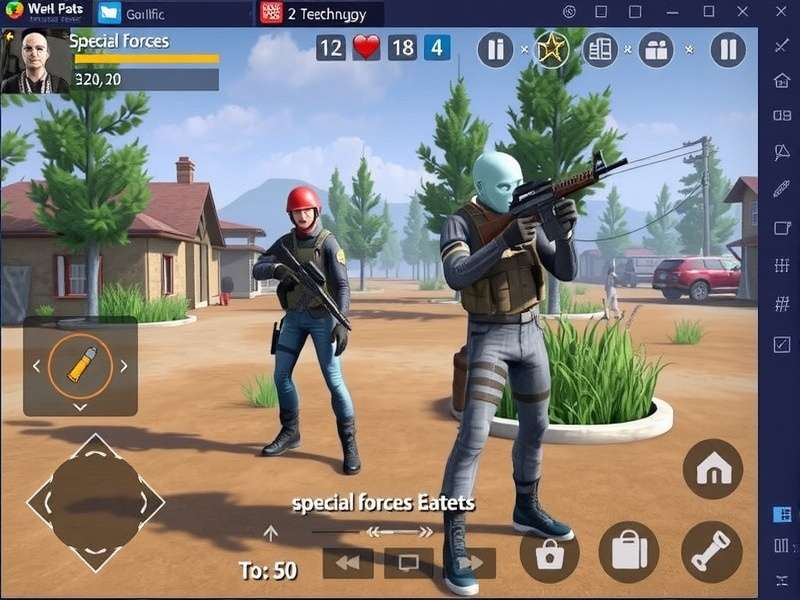
3. Tactical Formation & Role Assignment
Don't just run and gun. Assign roles based on player strengths.
3.1. The Classic Four-Man Fireteam
Point Man (Assault):
Leads the charge, uses SMGs or assault rifles. Needs quick reflexes. Equip with flashbangs.
Designated Marksman (Sniper):
Provides overwatch from a elevated position. Controls long sightlines. Patience is key. Check our Special Forces Group 2 Mod Menu 2025 guide for scoped weapon enhancements.
Heavy Gunner (Support):
Lays down suppressing fire with LMGs. Pins enemies down for flankers.
Medic/Tactician (Flex):
Uses tactical gear (smoke grenades), revives teammates, and calls plays. Often the team leader.
4. Map-Specific Strategies for Popular Battlegrounds
Knowing the map is half the battle won.
4.1. Desert Storm: The Sniper's Paradise
Control the central ridge. Have your sniper cover from the rocks while assault flanks through the canyon trenches. Use smoke grenades to cross open areas.
4.2. Factory: Close-Quarters Chaos
Stick together in pairs. Clear rooms using the "slice the pie" method. Shotguns and SMGs reign supreme here. Pre-aim every corner.
For more detailed map breakdowns, visit our Special Forces Group 2 Wiki.
5. Weapon Loadouts & Synergy
Your team's combined arsenal should cover all engagement ranges.
Consider having one player run a long-range DMR, another a close-range shotgun, and two with versatile assault rifles. Share ammo and call out weapon drops. Explore unique skins and modifications to gain a psychological edge—find them in our Special Forces Group 2 Skin Mod Apk Download guide.
6. Advanced Team Maneuvers & Callouts
Implement military-style tactics.
6.1. The "Bounding Overwatch" Maneuver
One pair moves while the other covers. Then roles switch. This ensures constant security during advancement.
6.2. The "Pincer Movement" Flank
Split the team into two groups attacking an enemy position from opposite sides. Communicate the exact moment of engagement to catch them in a crossfire.
7. Overcoming Common Issues: Lag, Cheats, & Morale
7.1. Dealing with Latency (Desync)
If a player is lagging, assign them a less reaction-intensive role (support). As a host, ensure your device is powerful enough; consider playing on a larger screen. Our Special Forces Group 2 For Laptop guide can help optimize performance.
7.2. Facing Suspected Cheaters
It happens. If you encounter a player with unnatural aim or speed, don't rage. Record the match if possible, report, and simply leave the room. Your fun is priority. For those interested in ethical advantages, our Special Forces Group 2 Cheats For Android article discusses approved tactical tools only.
8. The Social Element: Building a Lasting Gaming Brotherhood
Beyond tactics, playing with friends is about bonding. Schedule regular game nights, celebrate wins (and funny fails), and maybe even create a clan tag. The camaraderie you build in SFG2 can extend to other games and real life.
Remember, the goal is to have a blasty (as local gamers say) time while dominating the leaderboards. With the strategies outlined in this exhaustive guide, your squad is well on its way to becoming legendary in the SFG2 community.
Ready for more? Explore how to get the game for free on our Special Forces Group 2 Free To Play page, or push boundaries with the Special Forces Group 2 Mod Apk Fly Unlimited Everything for a completely different experience.
Final Salute: Gear up, sync up, and drop into the battlefield. Your brothers-in-arms are waiting. See you online, soldier! 💥