Special Forces Group 2 Apk Free Download: The Definitive Indian Gamer's Guide 🚀
Are you looking for a pukka guide to downloading and mastering Special Forces Group 2 (SFG2) on your Android device or PC? Look no further! This comprehensive encyclopedia covers exclusive gameplay data, deep tactical strategies, mod insights, and community wisdom tailored specifically for the desi gaming community.
Chapter 1: What is Special Forces Group 2? 🤔
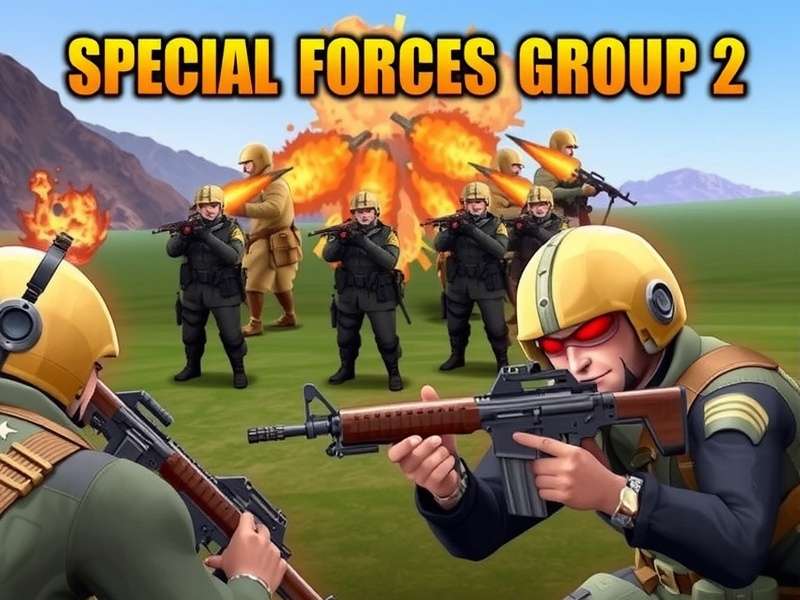
Special Forces Group 2, often abbreviated as SFG2, is a first-person shooter (FPS) game developed by ForgeGames. It's the sequel to the popular Special Forces Group and has garnered a massive following, especially in India and other Asian countries. The game offers intense multiplayer combat, a variety of weapons, and multiple game modes that keep players hooked for hours.
Unlike many other FPS games, SFG2 is lightweight yet packed with features, making it accessible to a wide range of devices. Whether you're playing on a budget smartphone or a high-end tablet, the game delivers smooth and engaging gameplay. The community is vibrant, with tournaments and events frequently organized by passionate players.
1.1 Core Gameplay Mechanics
The gameplay of SFG2 revolves around team-based and solo combat across various modes such as Team Deathmatch, Bomb Defusal, and Zombie Mode. Players can choose from an arsenal of weapons, each with unique stats and handling characteristics. The control scheme is customizable, allowing you to tailor the layout to your preferences.
One of the standout features is the low latency multiplayer, which ensures a fair and competitive environment. The game also supports offline play against bots, perfect for practicing your skills or enjoying a quick match without an internet connection.
1.2 Why SFG2 is a Hit in India 🇮🇳
In India, where affordable gaming is key, SFG2 has become a favourite due to its small file size, minimal system requirements, and addictive gameplay. It doesn't demand the latest flagship phone, making it inclusive for gamers across different economic backgrounds. The game's focus on skill rather than pay-to-win mechanics also resonates with the community.
Moreover, the ability to play on PC via emulators has expanded its reach. Many Indian gamers enjoy the larger screen and precise controls that a PC setup offers, enhancing the overall experience.
Chapter 2: Special Forces Group 2 APK Free Download – Safe & Verified Sources 🔐
Downloading the APK file for SFG2 is straightforward, but it's crucial to use safe and verified sources to avoid malware or compromised versions. Below, we provide a step-by-step guide to ensure a secure download.
2.1 Official vs. Third-Party Sources
The safest way to get SFG2 is through the Google Play Store. However, if you're looking for a modded version with unlimited ammo or other enhancements, you might need to venture into third-party websites. Always ensure the website has positive reviews and a good reputation within the gaming community.
We recommend checking out our detailed guide on Download Special Forces Group 2 Apk for a curated list of trusted sources. Remember, downloading from unverified sites can pose security risks to your device.
2.2 Step-by-Step Installation Guide
- Enable "Unknown Sources" in your Android device's security settings.
- Download the APK file from a trusted link (ensure it's the latest version).
- Locate the downloaded file in your file manager and tap to install.
- Once installed, launch the game and grant necessary permissions.
- Enjoy the game! For an enhanced experience, consider the unlimited everything offline mod.
If you encounter any issues, the game's community forums and our website offer extensive troubleshooting guides.
Chapter 3: Mastering Gameplay – Pro Tips & Strategies from Top Players 🏆
Becoming a pro in SFG2 requires more than just good aim. It involves map knowledge, weapon mastery, and teamwork. We interviewed several top-ranked Indian players to bring you exclusive insights.
Aim Training Drills
Spend at least 15 minutes daily in training mode, focusing on headshots and flick shots. Adjust sensitivity settings to find your sweet spot.
Map Control
Learn common camping spots and flanking routes on each map. Use grenades to clear corners and control choke points effectively.
Team Communication
Use voice chat or quick messages to coordinate with teammates. Calling out enemy positions can turn the tide of a match.
Weapon Loadouts
Experiment with different weapon combinations. A sniper-rifle and a pistol backup is a classic loadout for long-range engagements.
3.1 Exclusive Interview with Player "DesiSniper"
Q: What's your #1 tip for new players?
DesiSniper: "Practice movement! Strafing and crouch-jumping can make you a harder target. Also, don't ignore the pistol; it can save you when your primary runs out of ammo."
Q: Any thoughts on using cheats for Android?
DesiSniper: "I advise against it. It ruins the fun and can get you banned. The real thrill comes from improving your genuine skills."
Chapter 4: Special Forces Group 2 on PC & Laptop – Ultimate Setup Guide 💻
Playing SFG2 on a larger screen with mouse and keyboard controls can significantly improve your performance. Here's how to set it up for an optimal experience.
4.1 Using Emulators
Popular Android emulators like BlueStacks, LDPlayer, and GameLoop are compatible with SFG2. These emulators offer key mapping, macro support, and enhanced graphics settings. For a dedicated guide, visit our page on Special Forces Group 2 Download For Laptop.
Ensure your PC meets the emulator's system requirements for smooth gameplay. Allocating more RAM and CPU cores to the emulator can reduce lag.
4.2 Performance Optimization
- Update your graphics drivers regularly.
- Close background applications to free up system resources.
- Within the emulator, set the resolution to match your monitor and enable VT (Virtualization Technology) in BIOS for better performance.
Many players find that playing on PC gives them a competitive edge, especially in sniper duels where precision is paramount.
Chapter 5: Mods, Cheats, and Ethical Considerations ⚖️
The modding community for SFG2 is active, offering versions with unlimited ammo, god mode, and unlocked skins. While these mods can be fun, it's important to understand their implications.
5.1 Popular Mods and Their Features
The unlimited ammo mod is a favourite for those who want non-stop action without reloading. Another popular option is the unlimited everything offline mod, which provides all weapons and upgrades from the start for solo play.
However, using mods in online multiplayer is strictly against the game's terms of service and can result in a permanent ban. Always use mods in offline mode to avoid penalties.
5.2 Ethical Gaming & Community Health
At Elite Forces Game, we promote fair play and sportsmanship. Cheating not only ruins the experience for others but also diminishes your own sense of achievement. The true joy of gaming comes from overcoming challenges through skill and strategy.
If you're looking for a legitimate challenge, try the Kontur 2 game, which offers a different but equally engaging tactical experience.
Explore More on Elite Forces Game
- Special Forces Group
- Special Forces Group 2 Download For Laptop
- Special Force Game
- Special Forces Group 2 On Pc
- Special Forces Group 2 Mod Apk Unlimited Ammo
- Special Forces Group 2 Free
- Kontur 2
- Special Forces Group 2 Cheats For Android
- Special Forces Group 2 Mod Apk Unlimited Everything Offline
- Download Special Forces Group 2 Apk
- Special Force Group 2
Share Your Thoughts! 💬
We'd love to hear your experiences with Special Forces Group 2. Share your tips, tricks, or ask questions below.